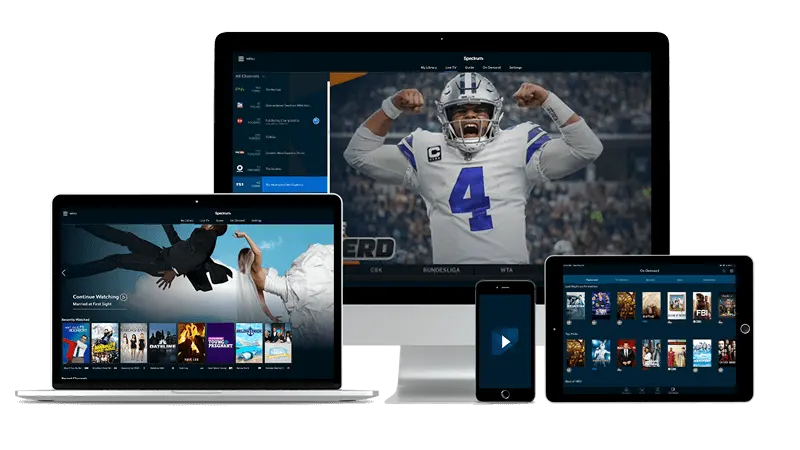
Premium IPTV UK for Samsung and LG smart TVs
IBO Player
The largest screen in the house suits a film best, so it comes first. These sets run IBO Player, which is activated through two codes that belong to the TV, in addition to your login.
- Install IBO Player from the app store on the TV itself.
- Launch IBO Player and read the two codes it displays, MAC address, then device key. A quick photo of the screen saves squinting later.
- Using a phone or laptop, visit IBO Player's online activation page and key in both codes, adding the login from your welcome email.
- Restart the IBO Player app on the TV. The guide fills in and a film is a few clicks away.
Copy both codes exactly as shown. One slipped digit is the classic reason an activation refuses to start.
Premium IPTV UK for a Fire TV Stick
IPTV Smarters Pro
A Fire TV Stick gets IPTV Smarters Pro by sideloading: fetching the app from outside the Amazon store with the help of Downloader.
- Press Home on the Fire TV remote, search for Downloader and add it.
- Open Settings, go to My Fire TV and then Developer options, and tick Install unknown apps against Downloader. The exact labels can vary with your Fire OS version.
- Inside Downloader's address box, enter the link published on the IPTV Smarters Pro maker's official download page. Let the app install.
- Launch IPTV Smarters Pro and enter the three login details in your welcome email.
- Give IPTV Smarters Pro a moment to fill the guide, then choose a film.
Take the app only from the maker's own site, never from a link pasted into a message.
Premium IPTV UK for a Fire TV Stick, TiviMate edition
TiviMate
TiviMate is the other app that suits a Fire TV Stick, and it arrives the same way, through Downloader. Follow this block or the one above; the login is identical.
- Press Home on the Fire TV remote, search for Downloader and add it.
- In Settings, under My Fire TV, open Developer options and let Downloader install unknown apps.
- In Downloader, enter the link from the TiviMate maker's official download page and let TiviMate install.
- Launch TiviMate, press Add playlist, and give it the three login details in your welcome email.
- Let TiviMate build the channel list, then pick a film.
Keep to one app on the stick. Two guide apps only give you two places to look.
Premium IPTV UK for Apple TV
IBO Player
IBO Player runs on Apple TV as well, and activation follows the same pattern as on the Samsung and LG sets above.
- Download IBO Player from the tvOS App Store.
- Launch the app and note its two codes, MAC address, then device key.
- Using a phone or laptop, visit IBO Player's online activation page, key in both codes and add the login from your welcome email.
- Restart IBO Player on the Apple TV and wait for the lineup.
It is the app, not the television, that decides how activation works, which is why the two blocks read alike.
Premium IPTV UK for a Google TV or Android TV set
TiviMate
Sets and boxes that run either of those systems take TiviMate straight from Google Play.
- Install TiviMate from the Google Play store on the TV.
- Open TiviMate and press Add playlist.
- Fill in the three login details in your welcome email.
- Once the channel list has loaded, open the guide and choose what to watch.
TiviMate belongs on televisions and boxes only. Phones and tablets run IPTV Smarters Pro instead, as the next two blocks show.
Premium IPTV UK for iPhone and iPad
IPTV Smarters Pro
Apple's phones and tablets become pocket cinemas with IPTV Smarters Pro.
- Download IPTV Smarters Pro from the App Store.
- Open it and enter the three login details in your welcome email.
- Let the lineup load, then tap a film or a live channel.
Wi-Fi suits films best. A long film over mobile data can eat a surprising amount of it.
Premium IPTV UK for an Android phone or tablet
IPTV Smarters Pro
Here the app is IPTV Smarters Pro, and it comes from Google Play.
- Download IPTV Smarters Pro from Google Play.
- Open it and enter the three login details in your welcome email.
- Wait for the lineup to appear, then choose something to watch.
TiviMate is not offered for phones or tablets, which makes IPTV Smarters Pro the app for these screens.
Premium IPTV UK for Windows and Mac
IPTV Smarters Pro
On a computer you want IPTV Smarters Pro's desktop edition, which can fill a window or a whole monitor.
- Open the official IPTV Smarters Pro download page from its maker and choose the Windows or Mac desktop build.
- Open the file you downloaded and follow the installer.
- Start the app and enter the three login details in your welcome email.
- When the lineup loads, choose a film and go full screen if you like.
A computer is a quick place to prove your login works before you set up the television.
Premium IPTV UK for a MAG box
MAG box, no app
MAG boxes run without any app. The box reads a portal address and is recognised by its MAC address.
- The label on the box shows its MAC address. Keep it handy.
- Open the portal settings in the box's menu.
- Enter the portal URL from your login email as the portal address and save.
- Restart the box. The portal then opens and the lineup shows.
Portal not loading? Email support@premium-iptv-uk.xyz with the label's MAC address and your order email, and name the step where it stopped.